
 by
by 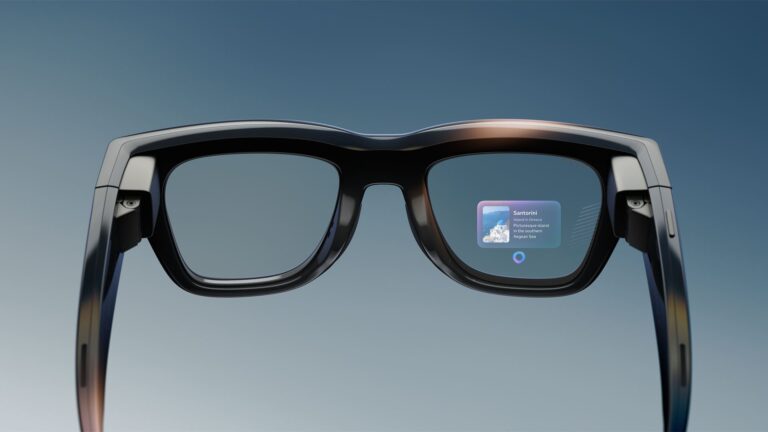

Despite revolutionary characterizations of smart glasses, they can sometimes simply be faceworn display peripherals. And that’s not a bad thing. To quantify that, an ecosystem survey fielded by Extentos found that 22 of 30 smart-glasses platforms don’t run apps on the glasses themselves (see methodology here). They run instead on the phone in your pocket.
That sounds like a compromised version of XR. But there are benefits to doing it this way, especially at the underlying technology’s current stage where there are still considerable technical hurdles. This is a necessary stepping stone to the dream of practical and robust standalone XR glasses.
Let’s consider the evidence by looking at just two comparative cases.
- Vuzix Z100 puts compute on the phone. It’s 38 grams and offers about 48 hours of battery life.
- Snap Spectacles put compute on the glasses. It’s 226 grams and offers about 45 minutes of battery life.
The difference in wear time between these two cases is about 60x. That gap isn’t due to manufacturing maturity or other executional factors. It’s a function of where the processor sits.
In fairness, the differences in the cases above are also a matter of device classes and purpose-built orientation. The spatial spectrum continues to diverge and diversify, and different architectures are required across that continuum (more on that in a bit).
Processing Grunt Work
Sticking with smart glasses for now, running apps on one’s phone does not make glasses less capable. It gives them access to a more powerful computer without putting weight, heat, and battery on your face.
With this split processing architecture, glasses carry what needs to be on your face: the camera, microphones, speakers, and display. The phone handles the other processing grunt work and heavy lifting. It has more processing power, a larger battery, an internet connection, and access to cloud AI. Modern phones can even run AI models locally. In one documented implementation, Qwen 3 models from 1.7B to 8B handled the model, voice, and turn-taking entirely on the phone, removing the server-side inference bill.
Meta and Google have both built around this setup. With Meta’s Wearables Device Access Toolkit, your code runs inside your phone app. Android XR works similarly, showing part of your existing phone app on the glasses.
This is not a compromise. It is what makes lightweight glasses more capable.
Proof Points
A common assumption is that once glasses have a display, apps must run on the glasses too. This is incorrect. Meta Ray-Ban Display puts a 600×600 full-colour display in a frame, weighing about 69 grams. Through Meta’s mobile SDK, an ordinary Android or iOS app can extend its interface onto that display. Even Realities’ G2 and Vuzix’s Z100 use a similar phone-driven approach at 36 and 38 grams, respectively.
Here’s a quick-reference comparative view.
| Product | Display | App runs on | Weight | Price |
| Even Realities G2 | 640×350 monochrome HUD | Phone | 36 g | $599 |
| Vuzix Z100 | 640×480 monochrome HUD | Phone | 38 g | $499 at launch |
| Meta Ray-Ban Display | Monocular 600×600 colour | Phone or glasses* | 68–70 g | $799 |
| Snap Spectacles | Binocular AR, 46° FOV | Glasses | 226 g | $99/month, one-year commitment |
| Snap Specs (2026) | Binocular AR, 51° FOV | Glasses | 132–136 g | $2,195 |
*Meta supports both phone-side mobile apps and standalone web apps running on the glasses.
Split Processing
But as teased above, phone-driven does not mean chip-free. Glasses still need local processors for work that must happen immediately, such as driving the display, processing sensor data, and keeping graphics stable. This is commonly known as split processing, and it comes in various flavors. XREAL Aura makes that split explicit: Android XR runs on a pocket compute puck, while an X1S chip in the glasses handles the latency-sensitive display and sensor work.
In the end, the key question is not whether there is a processor in the frame. It is whether your application has to run there.
Spatial AR Changes the Equation
In all the above cases, a display alone can be driven by a phone. But when we enter the realm of spatial AR – involving scene understanding and visuals that interact dimensionally with physical spaces – it’s a different story. To level set, this is an AR classification represented by Magic Leap and Snap Spectacles (including its upcoming consumer Specs).
The reason this changes everything is the elevated levels of processing required for these spatial interactions. For example, if a digital object is meant to stay fixed to a wall or table as you turn your head, that spatially-anchored position and how it renders visually has to update within milliseconds. This requires low motion-to-photon latency.
For example, Snap reports 13-millisecond motion-to-photon latency for Spectacles and 7 milliseconds for the new Specs. That leaves too little time to send every movement to a phone, render the image, and return it over Bluetooth. Some latency-sensitive processing has to happen in the glasses, even if the main application runs somewhere else.
So methods are varied and continue to diversify with various purpose-built designs. Looking across the landscape, Snap puts the whole computer in the frame. XREAL Aura splits it: Android XR runs on a pocket compute puck, while an X1S chip in the glasses handles the display and sensor work that cannot wait. XREAL describes this as split compute.
XR is a Game of Tradeoffs
This is where XR’s classic design dilemmas and tradeoffs become painfully clear. As noted, Spectacles weigh 226 grams, run for about 45 minutes, and were never sold outright; developer access cost $99 a month with a one-year commitment. The new Specs reduce that to 132–136 grams and offer up to four hours of mixed use, but cost $2,195. Meta’s Ray-Ban Display weighs 68–70 grams and starts at $799. These are not the same product, and they have vastly different specification levels. They are built for different jobs. Again, it’s all about purpose-built intent.
Moreover, Snap is not doing it wrong. Spatial AR is worth those trade-offs when an application needs graphics anchored to the physical world. The mistake is accepting those trade-offs and downsides when it’s overkill – when your application only needs voice, capture, notifications, or a heads-up display.
Build for Capabilities, not Product Names
The lesson in all of this? If your application needs voice, capture, notifications, translation, or a simple heads-up display, it does not need a full computer on the user’s face. In most cases, you can extend the phone app you already have instead of creating a second product for the glasses.
But do not build around a particular pair of glasses. Build around what the connected device can do. For example, Even Realities’ G2 has a display and microphone… but no camera or speakers. Vuzix Z100 is display-only. Check separately for a camera, microphone, speakers, and display, then enable the parts of your experience that the device supports. Choose the spec sheet that aligns closest with your goals.
Meanwhile, due to the near-term set of technological constraints we’ve all been dealt, most smart-glasses applications are still on smartphone training wheels. It’s often what lets the glasses stay glasses. And in consumer markets today, wearability and stylistic viability are non-negotiables.

Asger Mølgaard
AR Insider Guest Author